Quick answer
.mpp is the file extension of Microsoft Project, Microsoft’s scheduling app for Windows. One file holds a whole project: tasks, dates, links, resources, calendars, baselines and progress. To open it you need Microsoft Project on Windows, or an app that reads the format, such as MPP Studio on Mac and iPad.
MPP Studio is coming to Mac and iPad. Get told when it launches
What the .mpp file extension stands for
MPP is short for Microsoft Project Plan. The file is binary, not text: Microsoft Project stores it in the same compound-file container family as older Office documents. That is why opening it in a text editor shows nothing useful, and why your Mac or iPad doesn’t know what to do with it.
| Extension | .mpp |
| Made by | Microsoft Project (desktop, Windows) |
| MIME type | application/vnd.ms-project |
| Format | Binary, compound file |
| Related files | .mpt (Project template), .xml (Project XML export), .mpx (old exchange format) |
What is inside an .mpp file
- Tasks and the outline: summaries, subtasks, milestones, WBS codes, durations, start and finish dates, constraints and notes.
- Links: every predecessor and successor, with lead and lag. Project uses them to work out the critical path.
- Resources and assignments: people, crews, equipment and materials, and who works on what.
- Calendars: working days, hours, shifts and holidays for the project, each resource and each task.
- Baselines and progress: the agreed plan, plus actual start, actual finish and % complete. See baselines and tracking.
- Custom fields and views: extra columns your team added, and the tables, filters and formatting Project shows.
Because all of this is in one file, an .mpp is the complete schedule. It doesn’t depend on a server or a cloud account.
Microsoft has never published a specification for the format. How it works, record by record, is documented in the source of MPPKit, the open-source .mpp engine behind MPP Studio.
.mpp format versions
The format changed with some releases of Microsoft Project. A newer Project opens older files; an older Project can’t open newer ones.
| Microsoft Project version | .mpp format |
|---|---|
| Project 2010, 2013, 2016, 2019, 2021, 2024 and Microsoft 365 | The current format, shared by all of them |
| Project 2007 | Older format; can’t open files from 2010 and later |
| Project 2000 to 2003 | Older format |
MPP Studio opens and saves files from Microsoft Project 2010 through Microsoft 365, which covers the current format.
How to open an .mpp file
| Your computer | What opens it |
|---|---|
| Windows | Microsoft Project (desktop). Planner, Microsoft’s web app, can’t open an existing .mpp directly. |
| Mac | No Microsoft Project for Mac. Use MPP Studio, an app that imports the file, or Project in a Windows virtual machine. Mac options compared. |
| iPad | No Microsoft Project for iPad. MPP Studio opens and edits the file from Files, iCloud Drive or a USB drive. iPad guide. |
| Any browser | Online viewers show the schedule read-only, after you upload the file to their server. |
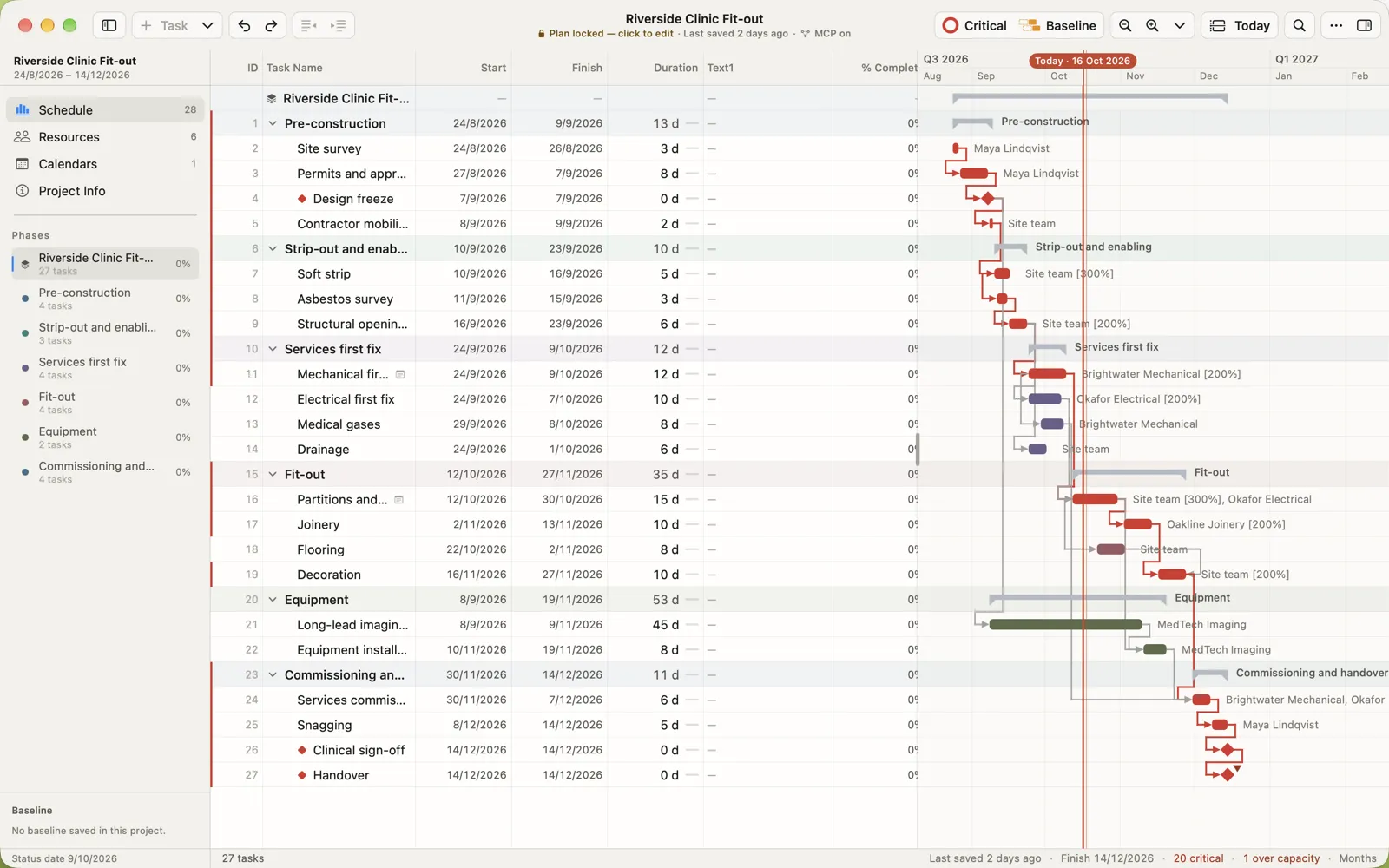
Step-by-step instructions: how to open an .mpp file on Mac or iPad.
Converting an .mpp file
People usually convert an .mpp for someone who has no project software:
- PDF to share a readable Gantt chart.
- Excel or CSV to work with the task list as data.
- Project XML to move the schedule into another planning tool.
Each conversion keeps only part of the schedule. Keep the original .mpp as the master copy.
Is every .mpp file a Microsoft Project file?
Almost always. The Musepack audio format has also used .mpp for some files, but if you received an .mpp with a project, a programme or a schedule, it is a Microsoft Project file.
Questions people ask
What program opens an .mpp file?
Microsoft Project on Windows is the program that creates .mpp files. On a Mac or iPad, MPP Studio opens, edits and saves them. Some other planning apps import them, and online viewers show them read-only.
Can Excel open an .mpp file?
No. Excel can’t read the .mpp format. Open the file in a project app first and export CSV, or paste the rows into the spreadsheet.
Why won’t my older Microsoft Project open the file?
Project 2010 introduced the file format still used today. Project 2007 and older can’t open those files unless the sender saves a copy in the older format.
Is an .mpp file the same as a Project XML file?
No. An .mpp is Microsoft Project’s own binary file. Project XML is a text export of the schedule that other planning tools can read.
Microsoft and Microsoft Project are trademarks of Microsoft Corporation. MPP Studio is not affiliated with Microsoft. Other product names are trademarks of their owners.