Product
The whole schedule, native on Mac and iPad
MPP Studio reads and writes the Microsoft Project .mpp file itself. Plan, track and share a programme on a Mac or an iPad, or open it in your browser, without Windows or a virtual machine.
The file
The .mpp itself, not an import of it
Opens and saves .mpp
Files from Microsoft Project 2010 through Microsoft 365. What MPP Studio saves opens in Microsoft Project as it should: tasks, links, resources, calendars and baselines.
Where your files already are
Open from Files, iCloud Drive, OneDrive or any folder, and save back to the same place. On Mac and iPad, your own files need no account.
No lock-in
Your work stays a plain .mpp. Send it to a client, archive it with the contract, or open it in Microsoft Project tomorrow with nothing lost.
Plan and track
Agree the plan once. Track every day against it.
Lock the plan, then track against it
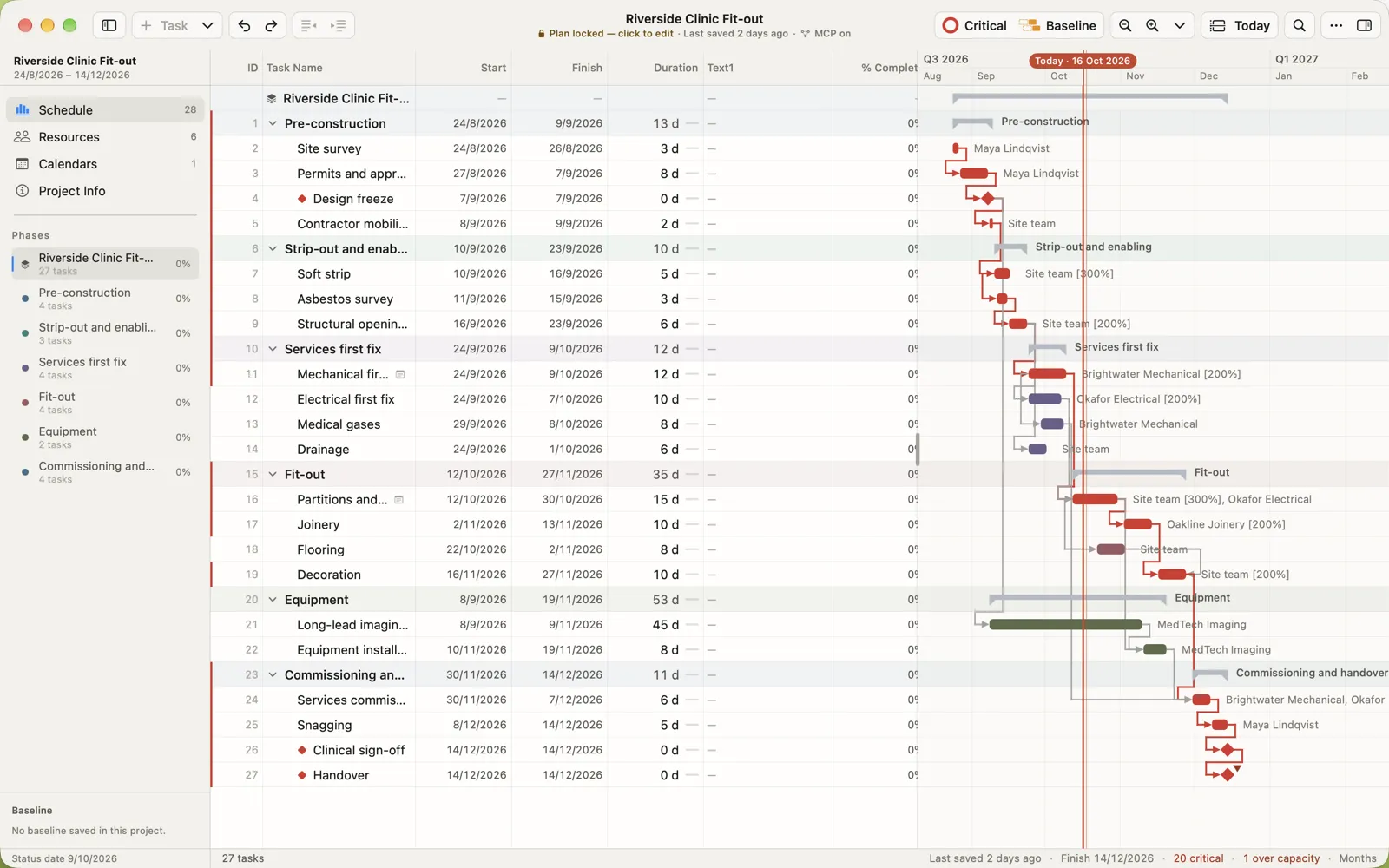
Lock Plan saves the agreed programme as the baseline. From then on, actual starts, finishes and percent complete stay editable while the plan itself can’t drift. The chart shows slippage against the plan, and the sidebar forecasts the finish.
- Critical path, calculated the way Project does
- Link tasks by dragging from bar to bar
- A grid that types like Project’s, keyboard first

Calendars built around shifts
Drag day, evening and night shifts into place. Public holidays added by country and kept as rules, so Christmas is entered once, not once a year. Save a calendar as a template and reuse it in every project.

The details
The details that save you a day
Inspector
Dates, status, constraints, predecessors, resources, custom fields and notes for any task.
Resources
People, crews and equipment, with assignments and over-capacity flagged as you plan.
Print on one page
The system Print dialog, with a fit-to-one-page option for the site office wall.
Metal-fast Gantt
Drawn on the GPU, so big programmes scroll and zoom without a stutter.
Apple Pencil
Mark progress on site with the Pencil. Hover works on every control.
Any window size
In full screen, Split View or Slide Over, the table and chart adapt, down to a single pane.
Together
Share it, secure it, hand it to your AI
Real-time collaboration
Share a plan and edit it together on Mac, iPad and the web. Presence, owners, editors and viewers, offline merging and history with restore.
How sharing works → ProductEnd-to-end encryption
Shared plans are encrypted on your device, with keys in the Apple Secure Enclave and passkeys in the browser. We can’t read them.
How the encryption works → ProductAI, your way
A built-in MCP server lets Claude, Codex, Cursor or any MCP agent read and edit your plan. No AI credits to buy.
How it works with your agent →Platforms
One plan on Mac, iPad and the web
| Mac | iPad | Browser | |
|---|---|---|---|
| Open, edit and save .mpp | Yes | Yes | Yes |
| Shared plans, edited live | Yes | Yes | Yes |
| Lock Plan, tracking, resources and calendars | Yes | Yes | Yes |
| Your keys | Secure Enclave | Secure Enclave | Passkey |
| Built-in MCP server for your AI | Yes | Yes | No |
| Apple Pencil | No | Yes | No |
| Account needed | Only to share | Only to share | Yes |
Try MPP Studio now, free
The web beta is open, with Team Pro free for everyone. Make an account, open any .mpp in your browser, share plans and invite your team. You also get an email the day the Mac and iPad apps launch.
Free, with Team Pro until 30 days after launch. Beta Terms