.mpp viewer for Mac and iPad
Someone sent you a Microsoft Project file and you just need to see it. Here is how to view an .mpp on a Mac or iPad, and when a viewer isn’t enough.
Updated 17 October 2026
Quick answer
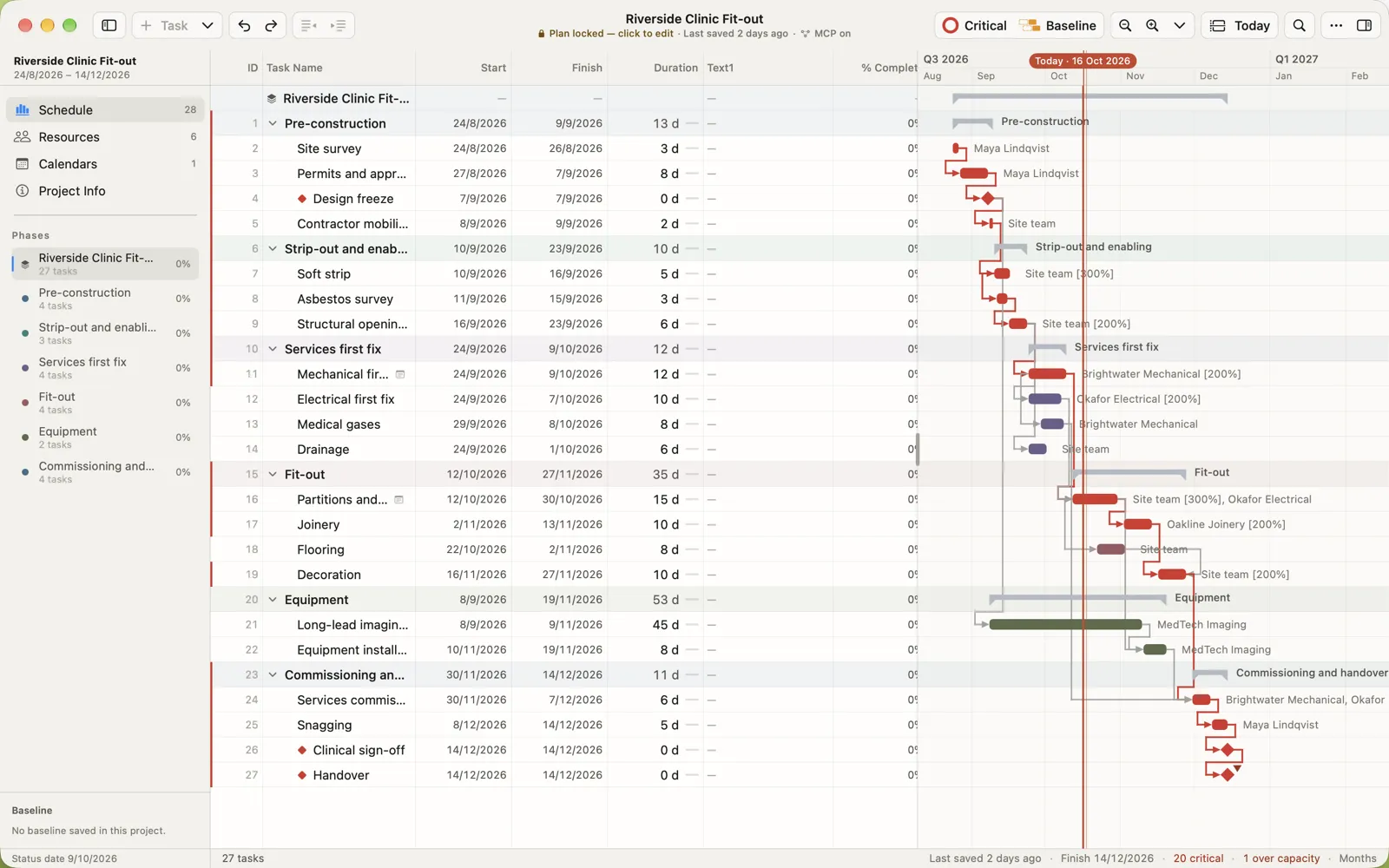
macOS and iPadOS can’t open .mpp files, and Microsoft makes no Project viewer for Apple devices. Use an app that reads the format: MPP Studio shows the outline, Gantt chart, critical path, baselines and progress on Mac and iPad, without uploading the file anywhere.
Why your Mac can’t open the file
An .mpp file is Microsoft Project’s own binary format. macOS and iPadOS have nothing that reads it: Preview, Numbers and Quick Look show a blank icon. Microsoft doesn’t make a Project viewer for Mac or iPad, so you need a third-party app.
Three ways to view an .mpp
| WAY | GOOD FOR | WATCH OUT FOR |
|---|---|---|
| Online viewer (upload the file to a website) | A one-off look on any computer | Your schedule, with client names, costs and dates, is uploaded to someone else’s server. Read-only. |
| Viewer app | Reading programmes you are sent | You can’t update the plan, record progress or send changes back. |
| MPP Studio | Viewing, and editing when you need to | Opens the file on your device. Mac and iPad, offline. |
What’s inside an .mpp, and what you see
- The task outline exactly as Project saved it: WBS numbering, summaries, milestones, notes and custom fields.
- The Gantt chart with every link drawn, and the critical path in red.
- Progress: baselines, actual dates and % complete, so you can see whether the job is on track.
- Resources, their assignments and load, and the calendars the schedule runs on.
Files from Microsoft Project 2010 through Microsoft 365 open. To share the programme with someone who has no project software at all, save it as a PDF.

When a viewer isn’t enough
Viewing is usually where it starts. Then the dates move, the client wants an updated programme, or you’re asked to record progress on site. With a viewer, that means going back to whoever has Microsoft Project on Windows. With MPP Studio you edit the file yourself and send back an .mpp that opens in Project as expected.
Questions people ask
Is there a free .mpp viewer for Mac?
Microsoft doesn’t make one. Some online viewers are free but upload your file to their servers and are read-only.
Can I preview .mpp files in Finder?
Not with macOS on its own; Quick Look doesn’t understand the .mpp format. Open the file in an app that reads it, such as MPP Studio.
Which Microsoft Project versions can I open?
MPP Studio opens .mpp files from Microsoft Project 2010 through Microsoft 365.
Can I open an .mpp in Numbers or Excel?
Not directly. Open it in MPP Studio and export a CSV, or copy rows and paste them into the spreadsheet.
View your .mpp now
Native on Mac and iPad. Works offline. Nothing is uploaded.
Related
Microsoft and Microsoft Project are trademarks of Microsoft Corporation. MPP Studio is not affiliated with Microsoft. Other product names are trademarks of their owners. Competitor details are taken from their own websites and App Store listings in October 2026; check with the vendor for current prices.